
Time Required to Learn WordPress: From Basics to Real-World Use
WordPress is quick to pick up, slower to master. This guide explains how long learning really takes and why.
January 23, 2026
Key Points
- WordPress is software that lets you build and manage a website without needing to know how to code.
- Getting comfortable with WordPress basics is relatively straightforward. You could do it in a few weeks.
- If you decide to become a WordPress developer, learning will take significantly longer. And even then, learning doesn’t stop. You’ll need to keep up with updates.
- You can take a WordPress course, enroll in a bootcamp, or learn everything by yourself.
- With WordPress, learning by doing is encouraged and even yields better results.
Many people need websites, but not many people know how to build them. Maybe that describes you. If you want to learn how to create a website of your own, I have one word for you: WordPress. It’s been around for ages, it powers much of the internet, and, best of all, you don’t actually need to know how to code to get started.
In this article, we’ll cover exactly what WordPress is, who it’s for, how long it takes to learn WordPress, and the best ways to do so.
What is WordPress (and who is it actually for?)
First of all, let’s talk about what WordPress is and who would (and also wouldn’t) benefit from using it.
WordPress as a content management system (CMS)
WordPress is a content management system (CMS), which simply means it’s software that lets you create, edit, and manage a website without having to build everything from scratch in code. With WordPress, you get a dashboard where you can add pages and posts, upload images, update text, and organise content, without needing to write HTML files. WordPress handles the structure of your site, and you can control how everything looks with themes. For extra functionality, like online payments or search engine optimisations, plugins are your best friend.
Here’s an example of what the WordPress dashboard looks like.
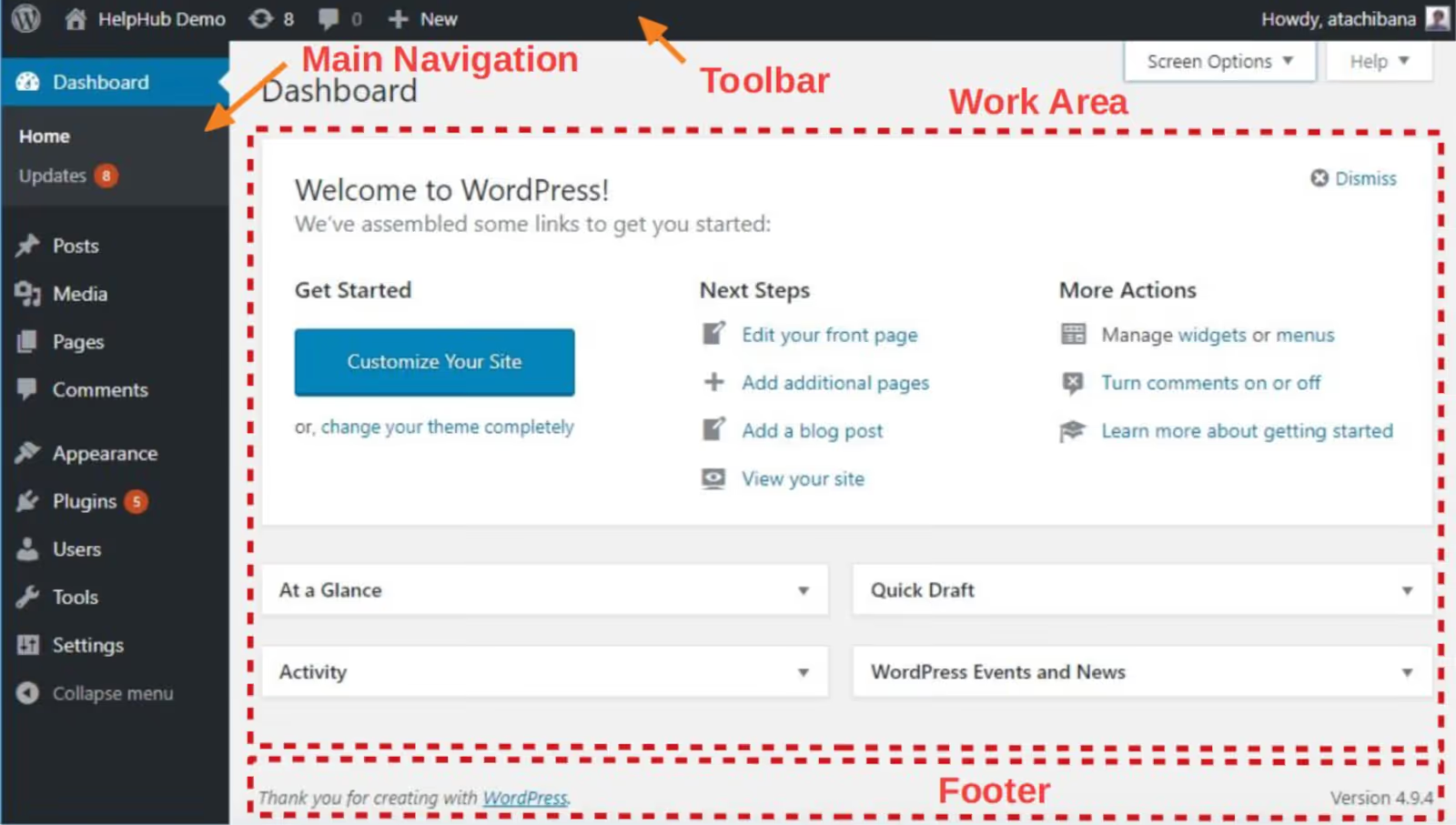
One thing beginners often get mixed up is the difference between wordpress.com and wordpress.org. This article will focus on the latter, which is the software you install on your own hosting and which gives you full control over your site. It’s also what most people mean when they talk about WordPress. WordPress.com, on the other hand, is a hosted service that handles setup for you but limits customisation unless you’re on a paid plan.
What’s unique about WordPress is that content is separated from design. What I mean by that is that you can change how your site looks without rewriting the content, and you can update the content without touching the design. While this feature is not unique, and other website-building tools offer similar functionality, what sets WordPress apart is how visible and practical that separation is for the users. This is one of the main reasons so many people choose WordPress, for everything from simple blogs to business websites.
Another thing I’d like to mention is that WordPress is open source, which means that anyone can use it and build on top of it. Over time, this has created a huge global community of developers, designers, and other users who publish tutorials, create plugins, help other users, and also answer questions publicly. This is a huge benefit to anyone who’s just starting out, and it explains why many people learn WordPress by experimenting rather than through formal training.
Who benefits most from learning WordPress
WordPress is all about having control over your own website without having to contact a developer every time you need to make a small change, like editing a headline or updating your contact details. If you’re a freelancer, WordPress lends itself well to creating a portfolio, landing pages for services, or publishing case studies. Solopreneurs and business owners could build basic marketing websites to be scaled later, or something more flexible than a one-page website. And if you’re looking to build an audience? WordPress is also great for things like blogs, resource pages, or just as a general “home base” that’s not dependent on social media platforms and the whims of their algorithms.
I learned WordPress out of necessity, not ambition. About 15 years ago, I needed a site and couldn't afford to outsource it, so I figured it out as I went. I cycled through moments of frustration and fun. That turned into building a custom theme, then sites for friends and colleagues. It was messy, sometimes frustrating, and honestly, fun – breaking things, fixing them, and learning why they broke in the first place.
{{Gina Dunn}}
WordPress is a very popular tool. Launched in 2003, it certainly stood the test of time. According to its own research, it powers over 43% of the internet, and its market share has more than doubled in the last 10 years. Also, a third of all online shops run on a WordPress-powered plugin. So this is another potential trajectory for those interested in WordPress: building websites for other people.
So, given all that, it’s no wonder that freelancers all over the world are curious about learning how to use it and are looking for pointers on how to get started.
When WordPress might be more than you need
While WordPress has a myriad of applications, it might be overkill for some people. Think about your goals: if you only need a one-page landing site, or maybe a personal profile you’re not going to update very often, learning WordPress may feel like more work than it’s worth.
Other website builders like Squarespace, Wix, or even Notion can be quicker to set up and easier to maintain if you only need a small number of fixed pages and minimal functionality.
Here’s an easy rule of thumb: WordPress makes the most sense if you plan to update your website often or have it grow over time. But if that’s not the case for you, a different tool might be a better fit.
WordPress terms you’ll see a lot
In fact, I’ve already mentioned a few of these terms in this section! They’re all pretty easy to understand, but let’s define them clearly so there’s no confusion.
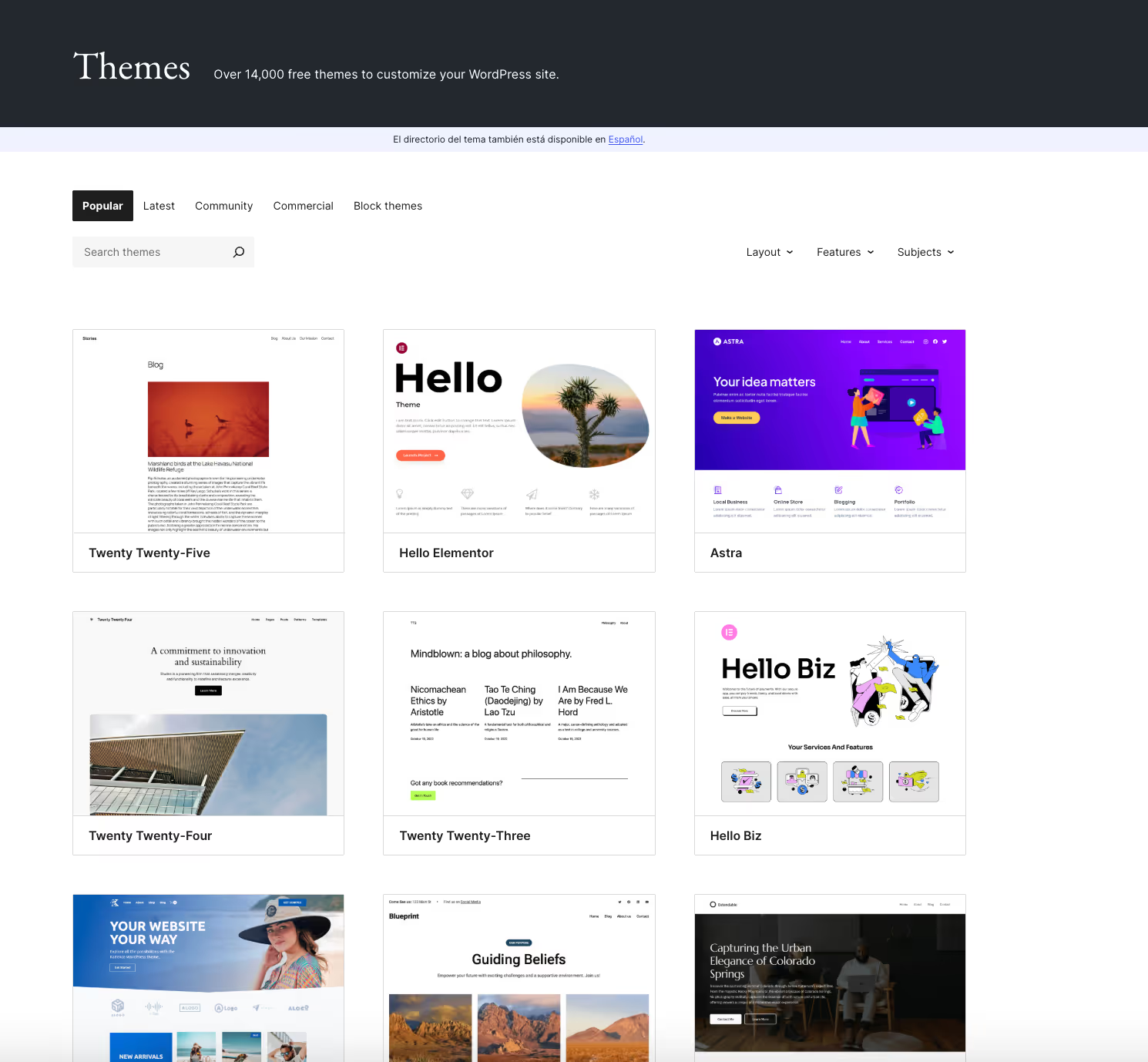
- Theme. Your theme controls how your site looks, and it includes things like layouts, colours, and fonts. You can create your own theme via a drag-and-drop editor or by coding it from scratch. Otherwise, WordPress has a whole library of stock themes you can use. They are maintained and updated by their creators. A child theme is a way to make design changes without losing them when the main theme you’re using is updated.
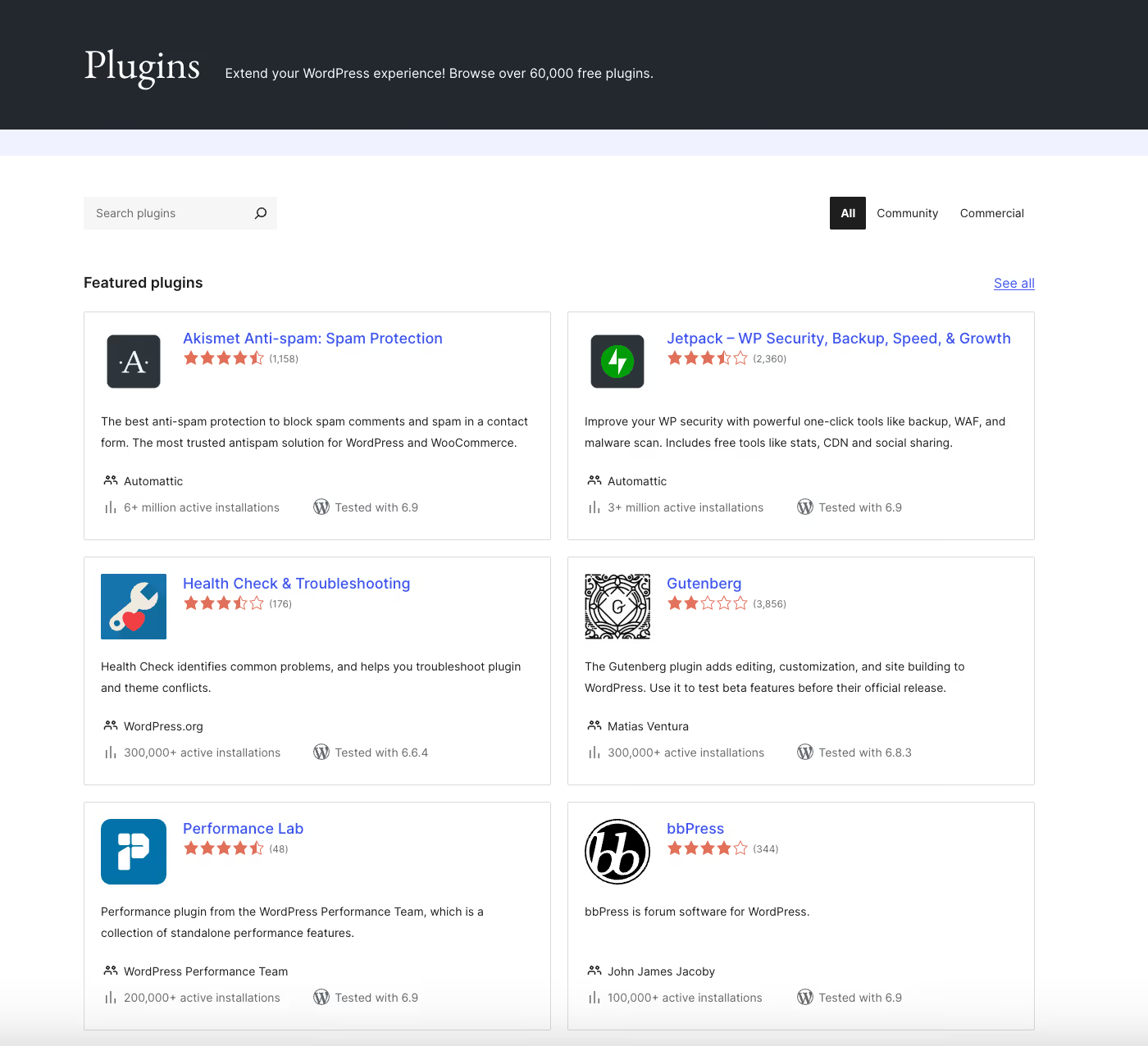
- Plugin. On WordPress, plugins are small add-ons that you can add to your site to give it additional functionality. This can be anything from improving search engine optimisation to protecting your site from spam. Similar to themes, WordPress has a huge library of free plugins.
- Pages vs posts. Pages are usually static, think contact details or “about” sections. Posts are time-based and are most often used for blogs.
- Gutenberg. Named after the inventor of the printing press, Gutenberg is WordPress’s default editor where content is built using blocks (text, images, buttons, whatever else).
How long does it take to learn WordPress? At a glance
You probably don’t want to hear this, but the answer to that question is, “It depends.” Let’s dive in and see why that’s the case.
Things to know before you get started
When people talk about learning WordPress, they usually mean themes and plugins. However, that’s not all there is to it. The learning process also involves a few concepts that aren’t unique to WordPress, but affect how your site actually works. Understanding them will make your learning curve a bit smoother. Here are a few:
- Domain and hosting. This is where your website lives. Your domain is the address of your website, and hosting is the service that stores your site’s files.
- SSL (secure sockets layer). It’s a basic security layer that protects the data on your site, and this is what makes your website use “https” instead of “http.”
- Backups. This is how you avoid losing your website if something goes awry.
- Cache. Caching is a way to store your site so that pages load faster for visitors by saving previously generated pages and data.
The realistic time range, from the basics to understanding
Even though there is no single timeline for learning WordPress, most people follow a similar pattern. WordPress is fairly intuitive, and the basics usually come fairly quickly. If you’re using the platform regularly, you can reach this level after a few weeks.
Becoming confident, however, is another matter, and it involves understanding why things behave the way they do. This can take real time.
It took more than a few months to feel comfortable using WordPress day to day, but years before I truly trusted myself with more complex builds. The basics come quickly: installing themes, publishing content, adjusting layouts. What takes real time is everything underneath, like understanding how themes work, why plugins conflict, how performance, SEO, image compression, and structure actually affect a site once it's live.
{{Gina Dunn}}
Why WordPress feels easy at first and why confidence fades
Learning WordPress is not exactly linear. Think of it like a video game: the first few levels are easy, and you level up quickly. But as you advance, it gets harder and harder to progress to the next stage. And WordPress is the same way.
Visual editors make it easy to create pages without touching code. Themes give you a ready-made design, and plugins let you add features with a few clicks.
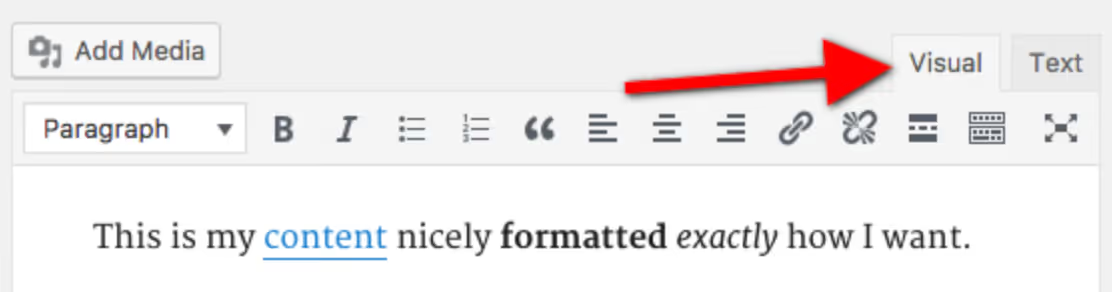
You’re not wrong if you think this sounds easy. WordPress was designed with that in mind! You can publish content and switch around your layout, and see results almost straight away.
As you advance, you’re faced with more choices. Different themes behave differently, plugins overlap or conflict, and WordPress terminology starts to matter. You also spend more time configuring settings rather than creating content.
I think people underestimate the time required to learn WordPress because they think that if they've used Squarespace or Wix, it should be easy to do. But, even for me, just going from using Divi for one company to the WordPress Gutenberg version for another made me scratch my head a few times, thinking, "Where can I find this again?!"
{{Nikki Parsons}}
Learning WordPress consistently vs sporadically
This is true for every new skill and not just WordPress. Consistency is key! When you practice regularly, patterns begin to stick: you remember where settings live and what plugin does what. Each session builds on the last one, even if those sessions are short.
If you’re only using it every now and then, you might find yourself spending more time trying to reorient yourself than actually learning something new, and it can feel like you are learning the same thing, over and over again.
I first learned WordPress for a past company that used it as their CMS. My original goal was purely to be able to update content on the site in the beginning. That sounds relatively easy, but everyone has their own WordPress set-up, and as they used Divi on top, I couldn't follow standard WordPress tutorials. I think it probably took me some months before I felt comfortable with it. That's just because I wasn't using it every day in the beginning. I was only logging in every now and then, which made it hard to remember their specific setup.
{{Nikki Parsons}}
Another downside of only logging on sporadically is that it often turns into what people on the internet call “fiddling.” You end up adjusting random settings or swapping plugins without a clear sense of what they affect, which feels busy but doesn’t build understanding.
Getting a functional WordPress site up and running
If you’re just getting started with WordPress, your first goal would be to get your first site online. Let’s talk about the know-how you need for this and a realistic timeline.
What “basic WordPress skills” actually include
At this basic level, learning WordPress is about being able to navigate the interface confidently and complete everyday tasks without guessing or breaking things. This involves knowing your way around the dashboard, understanding when to use pages and posts, choosing and using a theme, installing and removing plugins. Don’t forget about content management too: this means creating, editing, and updating it.
In other words, once you master these skills, you’ll no longer feel like this:
Time estimate for basics
If you actually dedicate some time to learning WordPress (and not just log in to poke around once a month), you’ll be able to grasp these basics really quickly. This stage usually takes a few weeks.
At this point, most people can build a simple site, update content without stress, and handle basic layout or plugin changes on their own.
Using WordPress confidently beyond the basics
So, you know how to pick a theme, how to build posts and pages, and you could navigate the WordPress dashboard in your sleep. What next?
What counts as “intermediate” WordPress use
Intermediate WordPress use begins when you start doing things more intentionally and making deliberate decisions about how your site works and performs, instead of just relying on what’s out there. This could mean making layout changes and adjustments, changing settings to fit your goals better, paying attention to site speed, the size of your images, and being mindful of how your plugins affect load times.
Another very important concept is search engine optimisation: this is a set of practices that help your website appear in search results. In WordPress, this usually means setting clear page titles, writing helpful descriptions, structuring content logically, and avoiding technical issues. If that sounds like I’m speaking a foreign language, I have good news for you: there are SEO plugins, like Yoast or Rank Math, that can help you manage much of that.
Lastly, there’s intermediate content management. If basic content management was about creating and editing your posts, here you’re aiming to understand how pages and posts fit together, how users navigate the site, and how content is organised over time.
How long this stage usually takes
In general, once you reach the intermediate stage, progress stops feeling exponential, and these improvements take more time and effort. For most people, getting comfortable around this stage takes months rather than weeks. But the one important thing to bear in mind here is that the more you practice, the more you’ll progress. The more you work on real sites, the faster your skills will solidify!
Skills you’re learning here
Once you reach the intermediate level, you’re also learning to have better judgement and discernment, not just new skills or basics of web design. This could mean something like becoming more disciplined about picking plugins or knowing how to make small adjustments to your layout or CSS tweaks. CSS, aka Cascading Style Sheets, is a coding language that controls how a website looks. In WordPress, this often means making minor changes to fix something that feels “slightly off,” rather than rebuilding a page or theme entirely.
How long does it take to become a WordPress developer?
If you’ve decided to become the final boss of WordPress, this section is for you.
What “becoming a WordPress developer” actually means
Since you don’t actually need to write code to build and manage websites on WordPress, many people consider it to be a no-code solution. And to an extent, it’s true, because you can get quite far without any coding at all. So, what exactly is WordPress development in that case?
WordPress developers build or heavily customise themes, rather than just picking existing ones; they write custom plugins, they have a deep understanding of how WordPress works behind the scenes (like how it stores data, for example), and work directly with various coding languages like HTML, CSS, PHP, and JavaScript.
Time investment to reach the developer level
To be honest with you, reaching this level of WordPress mastery does not come quickly. Realistically, you can expect to spend months or years. And learning doesn’t really stop, either, because you have to keep up with all the changes in WordPress and wider web development in general.
That said, most users will not need to reach this level. If your goal is to run your own site, publish content, or make informed decisions without breaking things, development skills are optional. And if you’re worried that not becoming a fully-fledged WordPress developer could hinder your career opportunities, fret not: no-code development is actually one of the most in-demand freelance skills.
Learning WordPress through courses and bootcamps
WordPress is very popular; it’s been around for a while, and since it’s basically ubiquitous online, it comes as no surprise that there is an abundance of materials to help you make sense of things.
WordPress courses
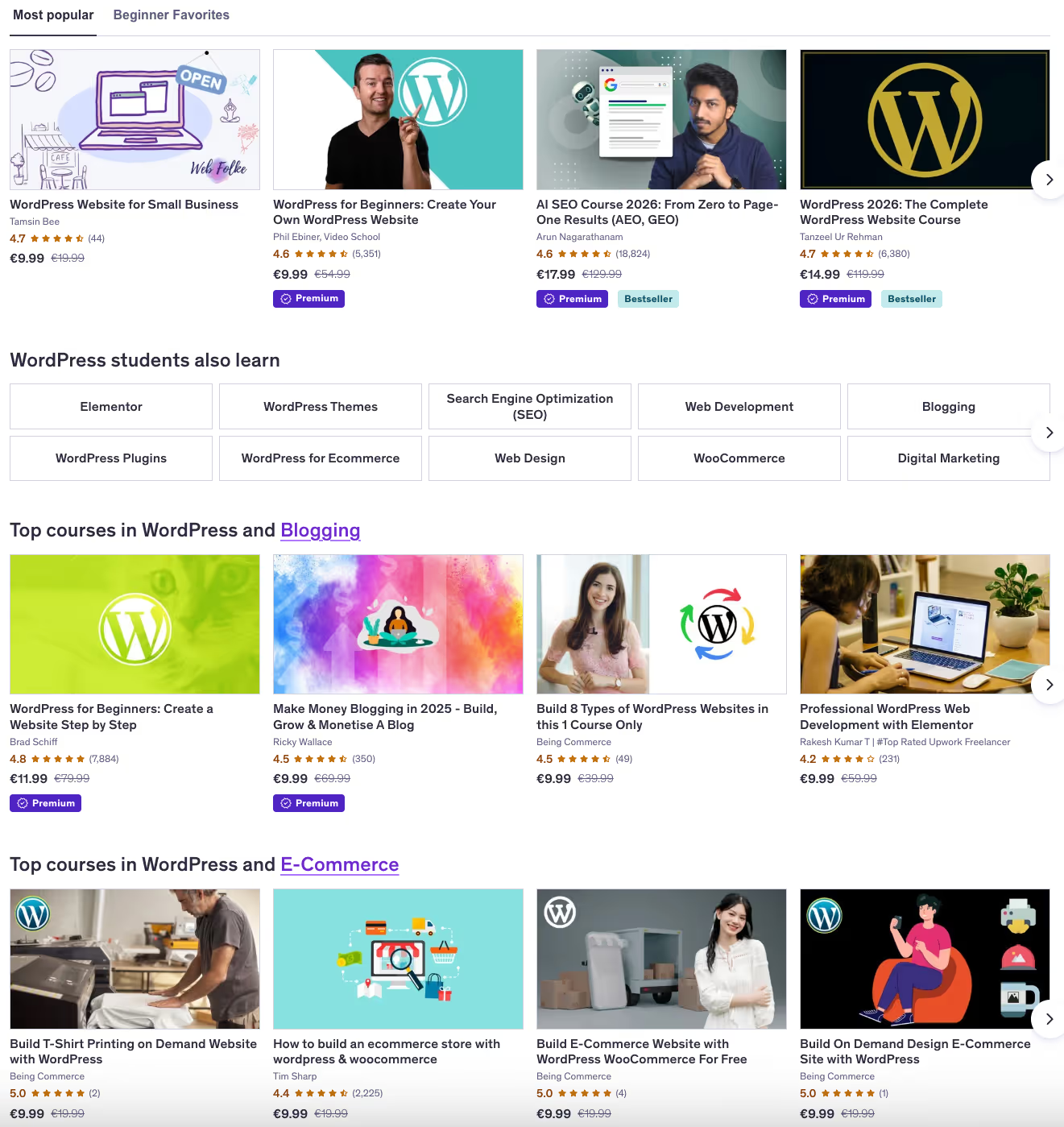
Online courses tend to be the most flexible option when getting started. If you want an overview of the basics, like how the dashboard works or what themes and plugins are, going for an online course could be a good idea. Since WordPress evolves quickly, these courses are best used as a starting point rather than something to rely on long-term.
WordPress bootcamps and structured training
Bootcamps tend to be more intensive and are often aimed at people who want to move towards development work. They can be delivered online or in person, although the former is much more common these days. Bootcamps follow fixed schedules and are usually much more time-consuming than online courses. They focus strongly on tech, customisation, and coding, which might be more than you need.
Learning WordPress on your own
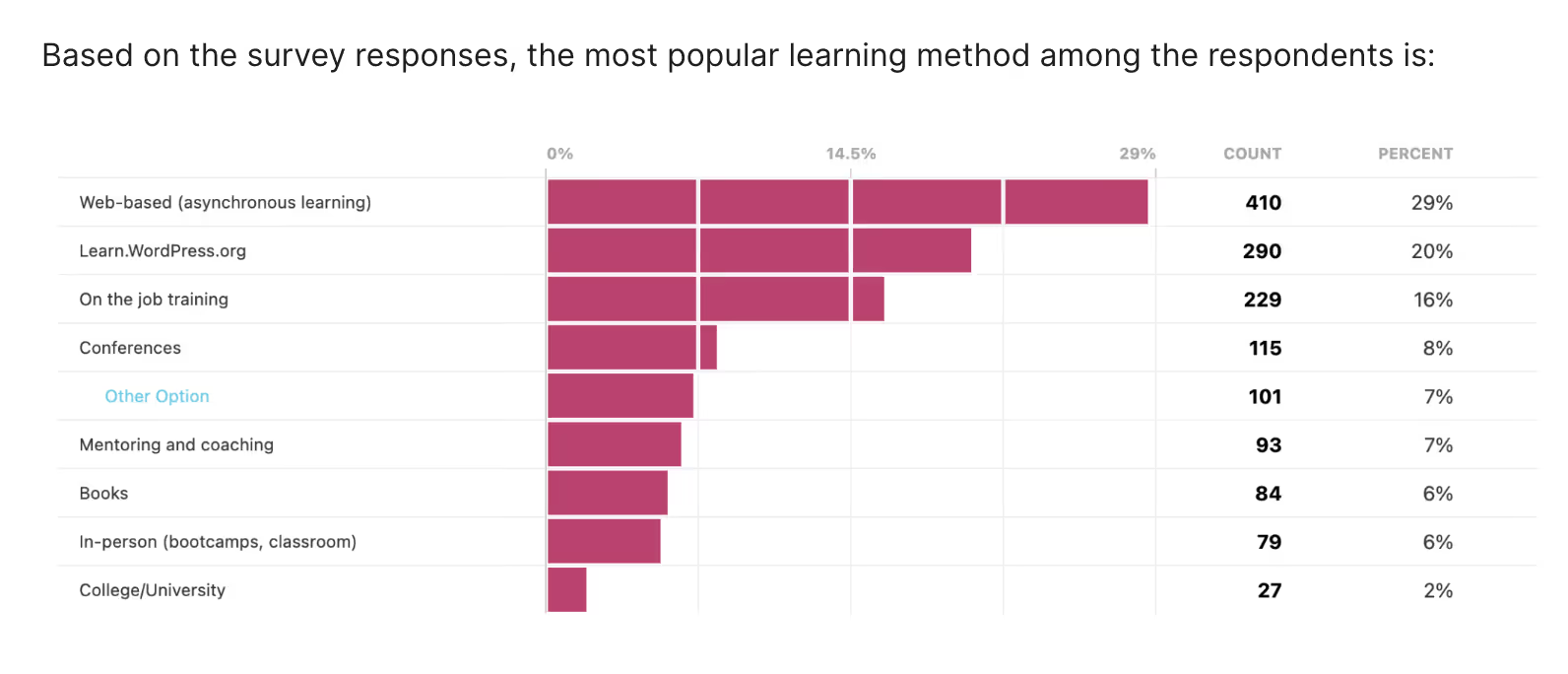
According to WordPress itself, many people learn how to use it through self-directed methods, combining online resources (including those provided by WordPress itself), experimenting, and learning on the job.
How long it takes without a course
Learning WordPress without a course might take a bit longer, and that’s not because it’s harder, but rather because this kind of learning is less structured. But don’t let that discourage you; many people reach basic comfort by using WordPress regularly on a real site, even without a course. What takes longer is building confidence across different setups, themes, and plugins.
I never took a WordPress course or formal training. I'd really recommend just learning by doing. There are a ton of free YouTube tutorial videos out there, plus WordPress updates things relatively quickly, so a formal course might get outdated. I felt confident enough to use WordPress for clients already after getting very familiar with that one business set-up, because the logic is similar in all WordPress instances, even though the set-up might be unique.
{{Nikki Parsons}}
Common pitfalls of self-learning
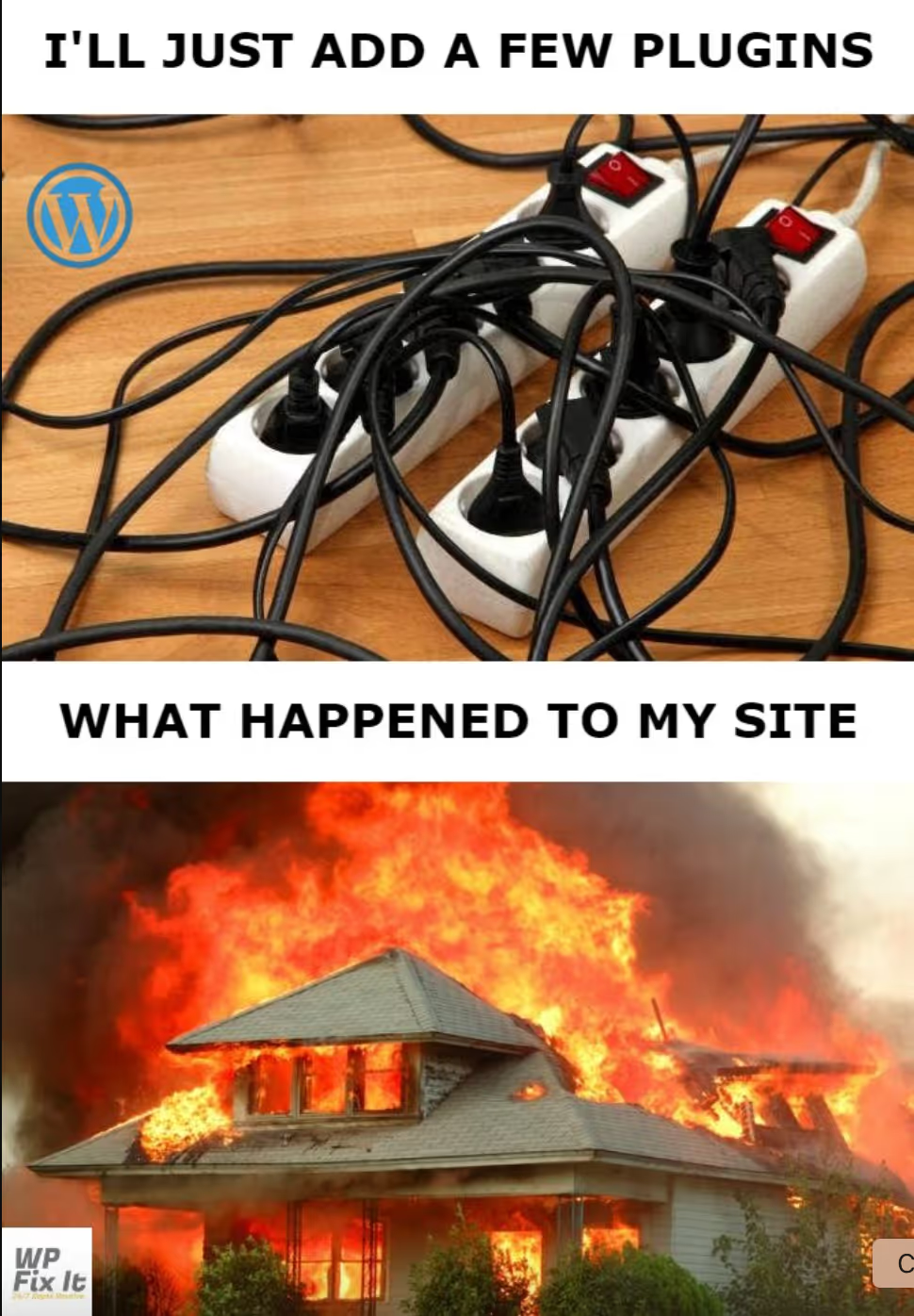
The one potential downfall to learning WordPress through practice is the lack of direction. It's easy to spend time over-customising small details, installing too many plugins “just in case,” or endlessly changing things around instead of moving forward. These habits can slow progress and make the site feel more fragile than it needs to be. Basically, don’t make your own life harder and try to keep it simple from day one.
What makes learning WordPress easier
In practice, most people learn WordPress by using it, not studying it. In this section, we’ll cover some practical tips to make the whole experience more manageable.
I think the best way to learn WordPress is just to dive in and learn on the go. You'll get stuck somewhere, but then be able to find an answer or a plugin that achieves what you're trying to do. Getting to grips with the different plugins and extra settings a client has on top tends to be the thing that takes the most time.
My advice would be to spend a few hours watching WordPress beginner tutorials on YouTube alongside a demo (free) WordPress account so you can put into practice what you see on screen. You can take the chance to set up a personal profile website as an example if you don't have a specific project in mind.
{{Nikki Parsons}}
Focus on one goal at a time
If you try to learn everything at the same time, it’ll slow you down. Since WordPress is so broad, there are a lot of features you might not need yet, and it’s easy to get distracted. Instead, try to focus on one clear objective, like setting up a basic page. That makes your progress feel tangible and helps you build confidence.
Learn by building, not reading
Reading about WordPress can help you get oriented, but real learning usually happens when you’re actually building something. You remember far more when you break a layout, install the wrong plugin, or have to undo a change than when you just skim tutorials.
I didn't take a formal course. I learned by doing, failing, Googling, and leaning on the WordPress community. That learning style slowed me down at first, but it gave me a much deeper understanding over time. It's why, years later, WordPress is still a core offering in my business.
{{Gina Dunn}}
Limit tools, themes, and plugins early
Once you’ve grasped the basics of WordPress, you might want to play with themes and install every plugin possible. After all, the more functions your website has, the more functional it is, right? Wrong! WordPress becomes much easier to learn when you deliberately limit your choices at the start.
If someone wants to learn WordPress today, I'd recommend starting with a well-supported, widely used drag-and-drop front-end theme and a child theme, not building from scratch, and definitely not building from one of the "free" themes offered directly in WordPress. Strong community documentation makes learning exponentially easier and helps you focus on building something real, not just figuring out why things broke.
{{Gina Dunn}}
To sum it all up
So, that’s all there is to getting started with WordPress! WordPress is broad, but if you focus on one thing at a time, and supplement theoretical learning with practice, you’ll be building fantastic websites in no time.
FAQ
How long does it take to learn WordPress?
Short answer: it’s different for everyone. Long answer: it depends on what you mean by “learning.” Most people get comfortable with the basics in a few weeks. Reaching a point where you understand why things behave the way they do, and can troubleshoot confidently, usually takes months of regular use.
Do I need to know how to code to use WordPress?
No, you don’t! You can build and manage a functional WordPress site without learning to code, especially if you use established themes and plugins.
Is learning WordPress worth it for freelancers or solopreneurs?
For sure! You can build your own website or portfolio quickly and easily, without hiring a developer. Plus, if in the process you realise that you actually enjoy WordPress and building websites, it could turn into a side hustle or even your next career pivot.
.avif)



I’m a bilingual writer and content strategist working across SaaS and digital media. I cover topics like marketing, tech, and the occasional niche curiosity.
Learn moreI’m a marketing strategist with 13 years of experience leading digital, SEO, and marketing initiatives for global brands like Semrush, iQuanti, and GC Aesthetics.
I am a founder and brand strategist at OG Solutions, where I help businesses build clarity-led brands and thought leadership visibility systems.
We are here to ease your working routine
Whether you're freelancing or a full-time contractor, we simplify the working process, putting you in control.
Try it free
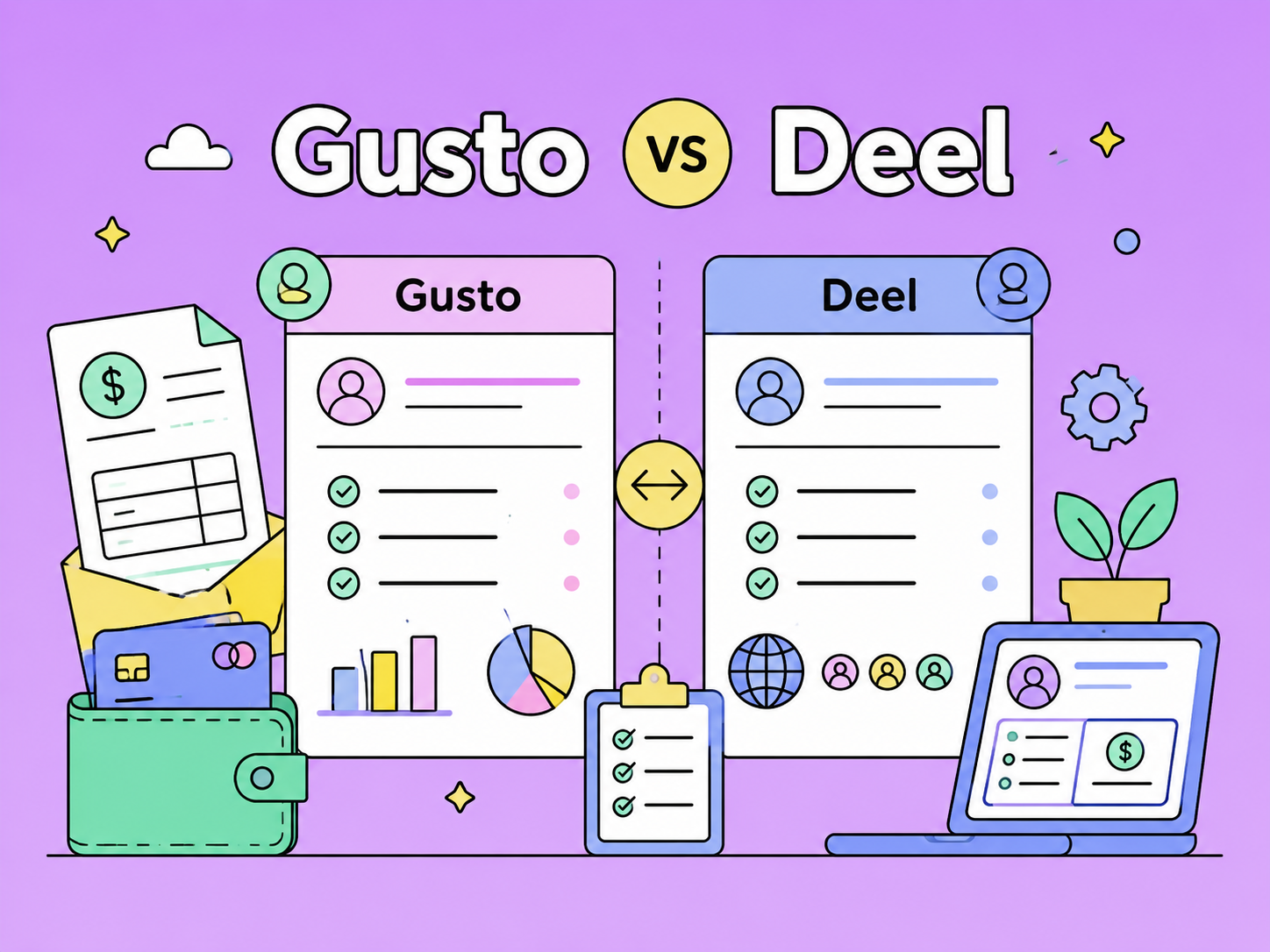
Gusto and Deel both help companies manage payroll and HR, but they serve different business needs. Gusto is a better fit for US-based small and midsize businesses that need simple payroll, tax filing, benefits, onboarding, and basic HR tools. Deel is better for companies hiring internationally, managing global contractors, or using Employer of Record services. This comparison breaks down their key differences in payroll, compliance, pricing, integrations, benefits, contractor management, pros and cons, and best use cases to help businesses choose the right platform in 2026.
Compare the best Deel alternatives for global hiring, payroll, EOR, and contractor payments. See pricing, coverage, pros, cons, and best use cases.
Running payroll for one employee still means tax calculations, filings, forms, and deadlines — so the cheapest option isn't always the best value. This guide compares affordable payroll services for a one-person business, breaking down real monthly costs, what's included, and which choice fits how you actually pay your worker.
