
How to Set Up Payroll for a Small Business
Set up payroll for your small business with steps for EINs, state tax accounts, employee forms, pay schedules, software and your first payroll run.
November 6, 2026
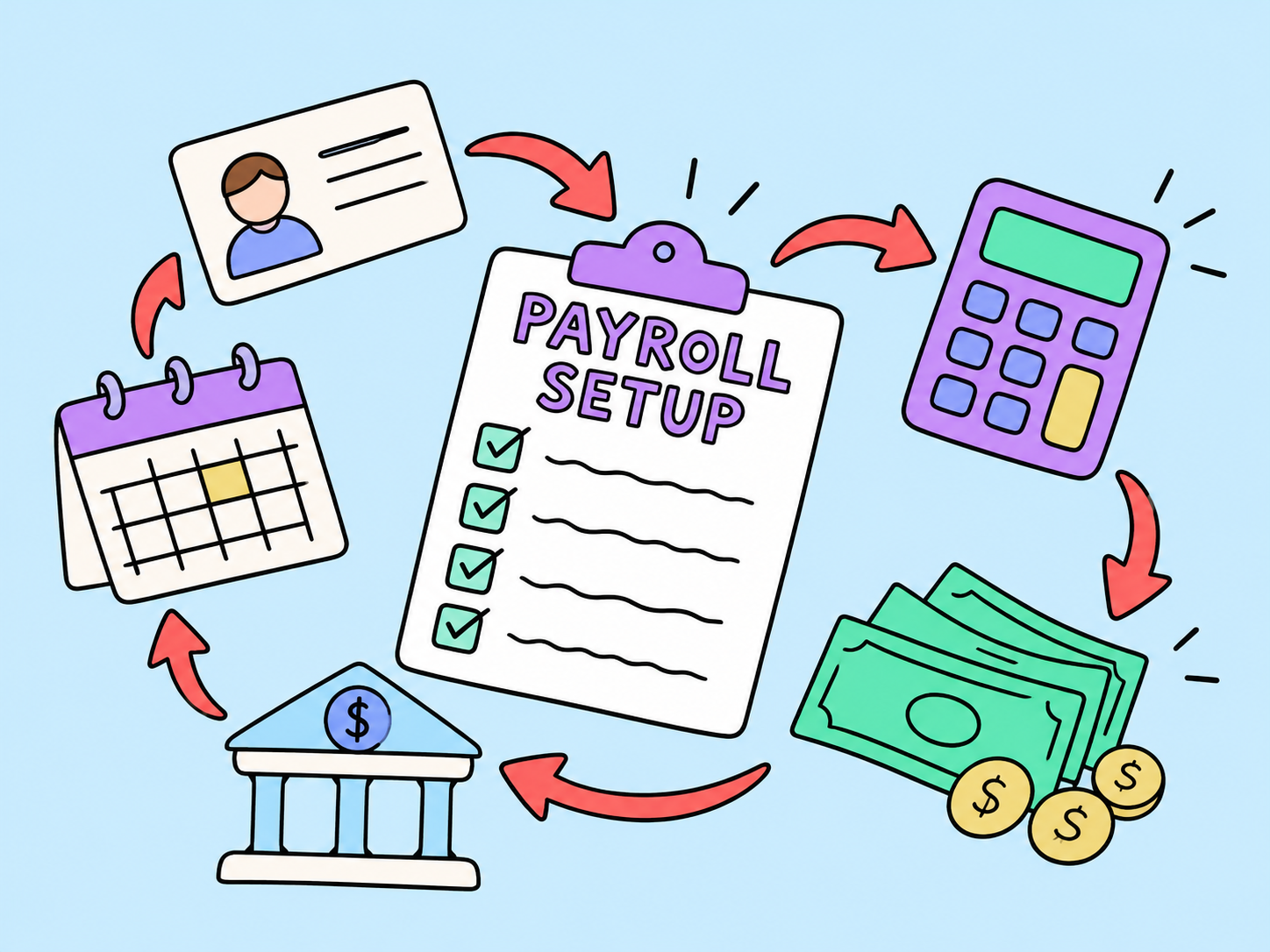
Setting up payroll means more than paying wages. US employers need to register for tax accounts, collect employee forms, calculate pay and withholding, and meet payment, reporting, and recordkeeping deadlines.
This guide explains how to set up payroll for a small business, choose between manual processing, software, and outsourcing, and verify your first payroll run.
What is payroll?
Payroll is the process of calculating and paying employee compensation, withholding taxes and other authorized deductions, and handling related tax payments, reporting, and records. Businesses can manage payroll manually, use software, or outsource it to a provider.
How Does Payroll Work?
For each pay period, the employer or payroll provider:
- Collects approved hours, salary amounts, bonuses, and other earnings.
- Calculates gross pay, employee tax withholding, other authorized deductions, and net pay.
- Reviews payroll, funds payments, and pays employees.
- Handles required tax deposits, returns, and payroll records.
Payroll software can automate parts of this process. A configured time-tracking tool or integration may import hours and absences; otherwise, approved time must be entered manually. Some systems submit direct deposits or generate bank payment files, depending on their features, bank requirements, and authorizations.
The employer still needs to review the results and confirm which payment and tax tasks the software or provider handles.
What you need before setting up payroll
First things first, gather information about your business and each employee.
Business information checklist:
- Legal business name, address, and business structure.
- Federal Employer Identification Number (EIN).
- Applicable state income-tax withholding and unemployment-insurance account numbers.
- Any required local payroll-tax registrations.
- Business bank account and authorized payment details.
- Pay schedule, employee pay rates, and workweek definition.
- A plan for tracking work hours, benefits, deductions, and payroll records.
Employee information checklist:
- Legal name, address, and Social Security number (SSN). Use the employee’s name and SSN for Form W-2; do not substitute an Individual Taxpayer Identification Number (ITIN). See the Internal Revenue Service (IRS) guidance on hiring employees.
- Completed Form W-4 for federal income-tax withholding.
- Completed Form I-9, with required identity and work-authorization verification.
- State withholding certificate, where applicable.
- Start date, job classification, salary or hourly rate, and work location.
- Direct-deposit authorization and bank details, if applicable.
- Information on authorized benefits and other lawful deductions.
Keep sensitive employee information in a restricted, secure system — not an open spreadsheet or shared email thread. Collect only what is needed for payroll and employment compliance.
How to set up payroll step by step
1. Get your EIN and register for state payroll accounts
Most businesses with employees need an Employer Identification Number (EIN), the federal tax number used on payroll tax returns. Apply through the Internal Revenue Service (IRS), the federal tax agency. Its EIN application page explains online eligibility and alternative application methods. Check whether your business already has an EIN before applying.
Next, choose which state registrations apply where employees work. These may include:
- State income-tax withholding accounts, where a state imposes employee income-tax withholding.
- State unemployment tax accounts, often called SUTA (State Unemployment Tax Act) accounts, used to report and pay state unemployment contributions.
- City or local payroll-tax registrations, where required.
Registration requirements vary by jurisdiction. Use the IRS directory of state government websites to find the relevant state tax agency and registration instructions. Check unemployment-insurance registration separately with the responsible state agency. For employees in multiple states, check each applicable jurisdiction.
Complete the required registrations before processing payroll so your software or provider can calculate, report, and remit taxes correctly.
2. Classify each worker correctly
Determine whether each worker is an employee or an independent contractor using applicable federal and state standards. A contract label alone does not establish status.
For employees, check overtime exemptions under the Fair Labor Standards Act (FLSA) and state law. The FLSA covers minimum wage, overtime, and recordkeeping; job title or salary alone does not establish an exemption.
Set up timekeeping before work begins for non-exempt employees. If classification is unclear, seek professional advice before processing payroll.
3. Collect employee forms and payroll details
Ask the new employee to complete their Form W-4 (payroll uses this to determine the amount of federal income tax to withhold). If required collect the relevant state withholding form. Record the employee's pay, start date, work location, benefit elections and any authorized deductions.
Form I-9 is separate from tax withholding. The employee will generally complete Section 1 on their first day of employment. The employer will generally complete Section 2 within three business days of that first day (subject to applicable rules and exceptions). I-9 records must be maintained in accordance with USCIS requirements and not as a tax document. See the USCIS Form I-9 instructions.
For direct deposit you'll need the employee's authorization and you'll need to verify their routing and account numbers via a secure process. If you're paying by checks you'll need to establish how you're going to issue and deliver those.
4. Choose your payroll schedule and payment method
Choose a pay frequency permitted where employees work. Use the U.S. Department of Labor’s directory of state labor offices to find the responsible agency and check current payday, payment-method, and pay-statement rules. Build time for approving hours and funding payments into your payroll calendar.
Payroll frequency is not the same as the IRS payroll-tax deposit schedule. You might pay employees biweekly but be required to deposit certain federal payroll taxes under a monthly or semiweekly deposit schedule.
Confirm that your payment method, employee consent, and pay statements meet state requirements. Allow enough processing time for direct deposits to arrive on payday.
5. Decide whether to run payroll manually, use software, or outsource it
A small team can sometimes process payroll manually, but every method still requires accurate calculations, tax deposits, reporting, and records.
When comparing options, check whether the service supports your states, tax registrations, direct deposit, overtime calculations, benefits deductions, required reports, and employee access to pay information. Also ask who owns the payroll records and how you can export them if you switch providers.
Using payroll software or a third party does not eliminate the employer's responsibility to ensure employees are paid properly and required obligations are met.
6. Configure your payroll system
Start by entering your employer details, such as EIN, legal name, business address, state account numbers, bank information, and payroll contact details. Next, add each employee’s work state, job classification, pay rate, W-4, pay schedule, payment preferences, and any authorized deductions.
Set up time tracking for hourly and other non-exempt employees. If you offer benefits, check when employee deductions begin and how employer contributions are handled. Make sure the system uses the right tax jurisdictions for each work location.
If you’re switching from another payroll system mid-year, you may need to enter year-to-date wages and taxes. This helps make sure your annual limits, returns, and employee statements are accurate. Double-check these opening balances carefully.
Before you run live payroll, check which tasks the system handles automatically and which ones you still need to do. For example, some software will calculate taxes but won’t file returns until you turn on that service or finish the required authorization.
7. Set payroll approvals and a first-payday calendar
Write down the deadlines for submitting time, approving changes, funding direct deposits, and reviewing the final payroll register. Make sure someone is responsible for these tasks, even if it’s the business owner.
Your payroll calendar should list employee pay dates, time-approval deadlines, bank processing times, tax deposit due dates, filing deadlines, and year-end reporting dates. Mark holidays, since they can affect banking schedules. Run a preview or test payroll before you approve any payments.
Run your first payroll and verify payments
After you finish setup, calculate pay for the first pay period. The basic formula is:
Gross pay minus employee taxes and all other authorized deductions equals net pay.
Gross pay can include regular earnings, overtime, bonuses, or other types of pay. Payroll taxes and benefit deductions depend on the employee, location, and situation. Employer payroll taxes are extra business costs and are not taken out of the worker’s net pay.
Illustrative example: A non-exempt employee works 40 regular hours at $20 per hour, with no overtime or other earnings. Gross pay is $800. If the payroll system withholds $135 for employee tax and $45 for authorized deductions, net pay is $620.
What you need to check:
- Employee list: Make sure everyone who should be paid is included, and there are no duplicates.
- Hours and rates: Verify approved regular and overtime hours, hourly rates, salary amounts, bonuses, and other additional payments.
- Tax details: Verify the employee’s Form W-4, applicable state withholding elections, work location, and payroll tax settings before approving payroll.
- Deductions: Make sure insurance, pension, and other deductions are properly authorized and applied.
- Net pay: Check that the final amount makes sense compared to the gross pay.
- Funding and delivery: Make sure banking details are verified, funds are available, and processing deadlines are met.
- Reports: Can you save the payroll register and confirm how you'll handle required tax deposits and filings?
Only approve payroll after you fix any discrepancies. Then make sure the payment process is complete, employees get the right wages, and payment records are ready for reconciliation.
Payroll taxes, reporting, and records
Payroll continues after payday. Employers may need to withhold and remit federal income tax, employee Social Security and Medicare taxes, the employer portion of applicable payroll taxes, and federal unemployment tax (FUTA) and state unemployment contributions.
Many employers file Form 941 quarterly to report federal employment taxes; some eligible businesses file Form 944 annually when directed by the IRS. Form 940 generally addresses annual FUTA reporting. Employers also generally furnish Form W-2 to employees and file Forms W-2 and W-3 for year-end wage reporting. The correct forms depend on the business and worker circumstances. See the IRS overview of employment taxes.
Remember, deposit deadlines and return filing deadlines are separate. The IRS has monthly and semiweekly deposit schedules for some employment taxes, and these don’t depend on how often you pay employees. Always check IRS deposit guidance and your state’s instructions instead of relying on your payday calendar.
Keep accurate payroll records, such as wages, hours, overtime, deductions, and payment dates. The FLSA usually requires employers to keep payroll records for at least three years and some wage-calculation records for at least two years. Tax, state, and other employment rules may require different or longer retention. Check the Department of Labor’s recordkeeping requirements.
Make payroll review a regular habit. Reconcile each payroll run with your bank transactions, look into any rejected deposits, update W-4 details when they change, and check for new tax notices or state registrations as your team grows.
FAQ
How do I set up payroll for one employee?
The same core steps apply as for a larger team: obtain an EIN, register for applicable state accounts, classify the employee, collect onboarding forms, choose a compliant pay schedule, configure a payroll method, and verify the first payment. A single employee doesn't automatically exempt a business from payroll tax or wage obligations.
What documents do I need before running payroll?
You will generally need your business EIN and applicable state payroll account details, employee identity and compensation information, Form W-4, completed employment eligibility documentation on Form I-9, state withholding forms where required, and payment or deduction authorizations. Requirements depend on your location and workforce.
How much does it cost to set up payroll?
There is no universal setup price. Manual payroll uses internal time and may require professional assistance; software typically carries subscription and possibly per-employee charges; outsourcing depends on service scope. Compare the total recurring cost, not just an advertised starting price, and account for compliance and administrative work.
Do I need state payroll tax accounts as well as an EIN?
Often, yes. An EIN identifies the employer for federal tax purposes, but states may separately require withholding and unemployment-insurance registration. Some cities or local jurisdictions have additional requirements. Check each jurisdiction where employees perform work.
Can I run payroll myself without payroll software?
Yes, if you can accurately calculate wages, withholding, employer taxes, deposits, required filings, and recordkeeping. However, doing payroll manually can become difficult as headcount, work locations, or benefits grow. Consider software or professional support when the administrative burden or error risk becomes substantial.

My mission is to craft captivating narratives, unravel future trends, and spark curiosity in each blog. I try to make each text an enthralling journey, anticipating the next spellbinding tale — a commitment to content that intrigues and resonates, leaving an indelible mark.
Learn moreWe are here to ease your working routine
Whether you're freelancing or a full-time contractor, we simplify the working process, putting you in control.
Try it free

Gusto and Deel both help companies manage payroll and HR, but they serve different business needs. Gusto is a better fit for US-based small and midsize businesses that need simple payroll, tax filing, benefits, onboarding, and basic HR tools. Deel is better for companies hiring internationally, managing global contractors, or using Employer of Record services. This comparison breaks down their key differences in payroll, compliance, pricing, integrations, benefits, contractor management, pros and cons, and best use cases to help businesses choose the right platform in 2026.

Compare the best Deel alternatives for global hiring, payroll, EOR, and contractor payments. See pricing, coverage, pros, cons, and best use cases.
Running payroll for one employee still means tax calculations, filings, forms, and deadlines — so the cheapest option isn't always the best value. This guide compares affordable payroll services for a one-person business, breaking down real monthly costs, what's included, and which choice fits how you actually pay your worker.
